
Often, your provider (therapist, doctor, etc.) will use NeuroFlow to assign tasks for you to complete. We call these activities. Depending on your provider, these may all be questionnaires to fill out or may take other forms (journals, guided content, etc.) In order to complete assignments that your provider assigns, follow these steps:
On the NeuroFlow App
If notifications are enabled, you'll be able to complete assignments right from the notification.
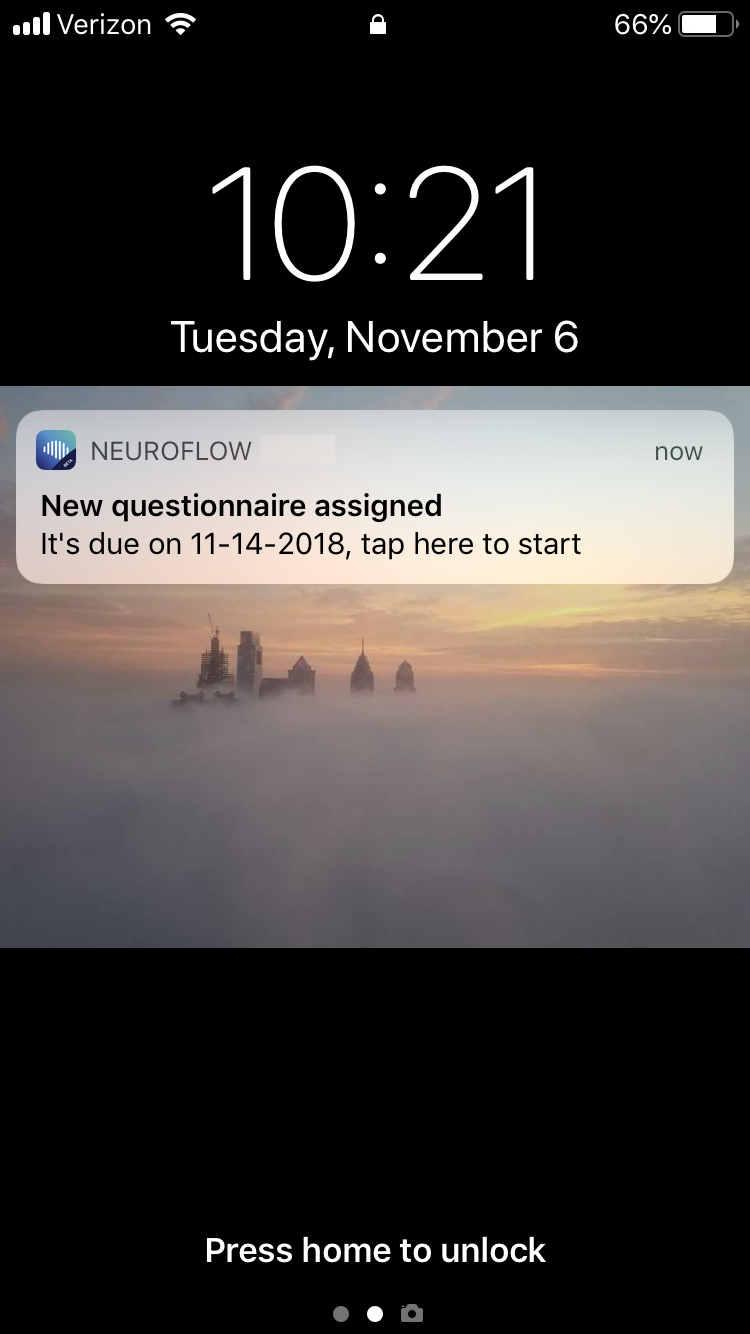
Simply click the notification, and you'll go right to the assignment to complete it! If you decide you want to do it later, no problem - the exercise will be in the app for you to complete later.
If you missed the notification, you can easily access the exercises on your app:
1. Log in to the NeuroFlow app
2. Click on the "Do now" button OR if you would like to see your activities due, click on "To Do."
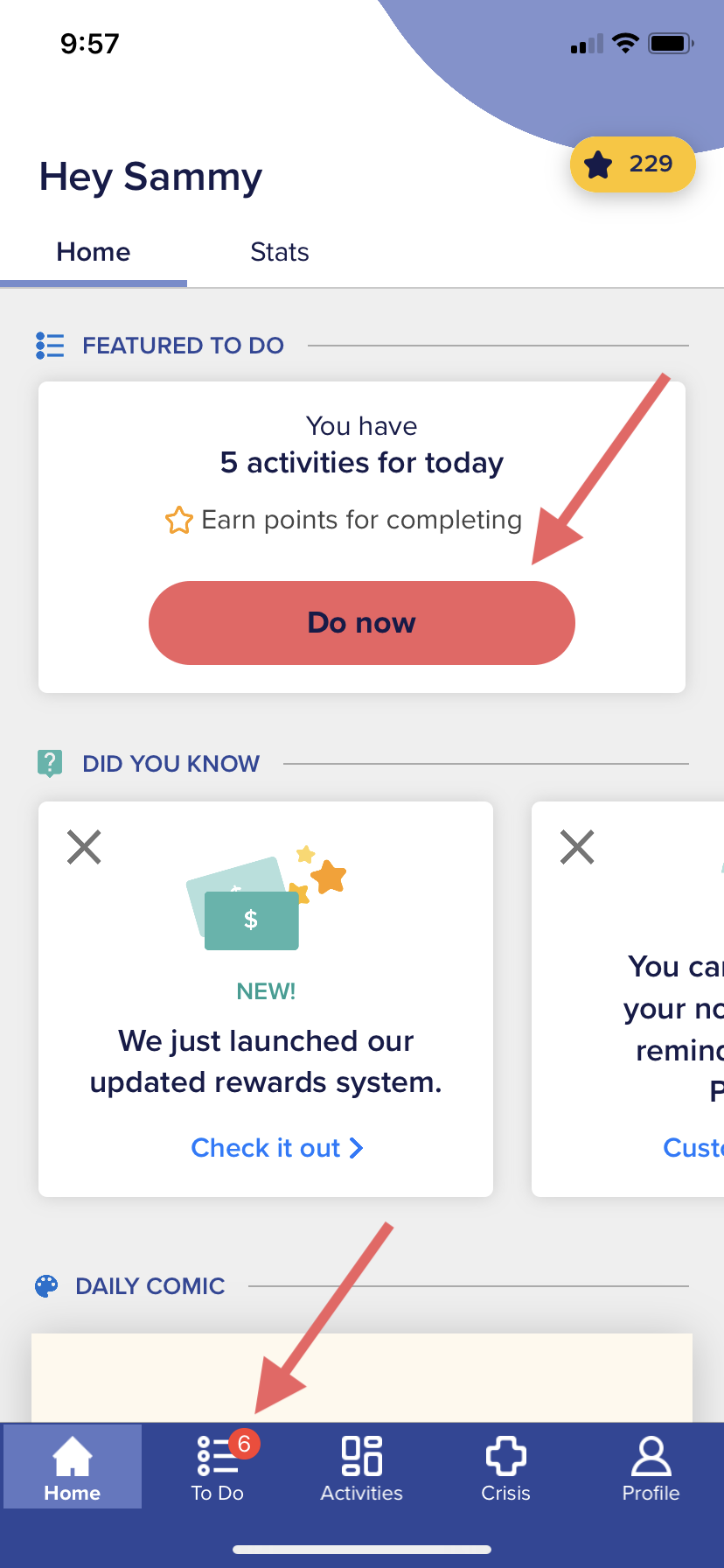
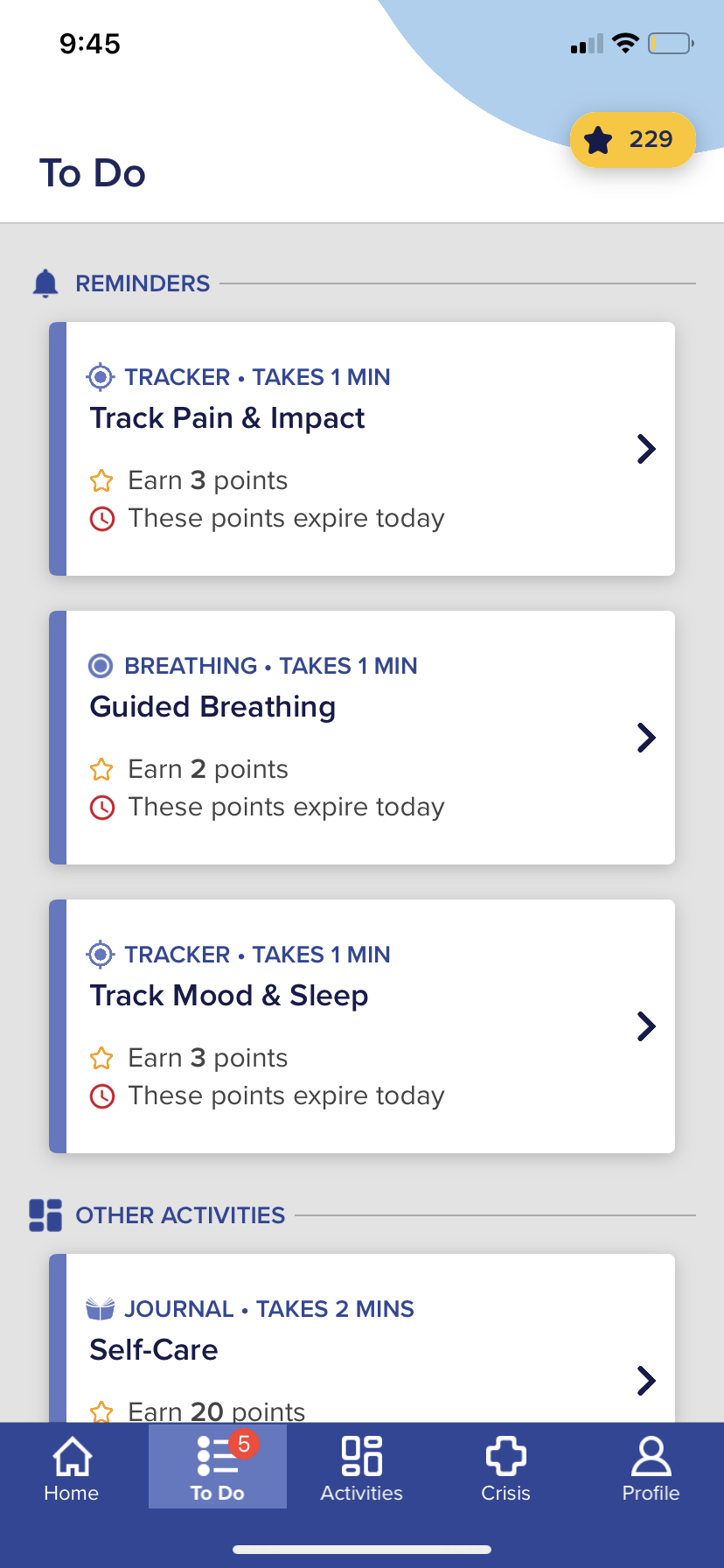
3. Complete and submit your activity, and the task will be removed from the list. Good job!
On the Web Platform (neuroflowlive.com)
You can also log into the web version of the platform (neuroflowlive.com) to complete your exercises.
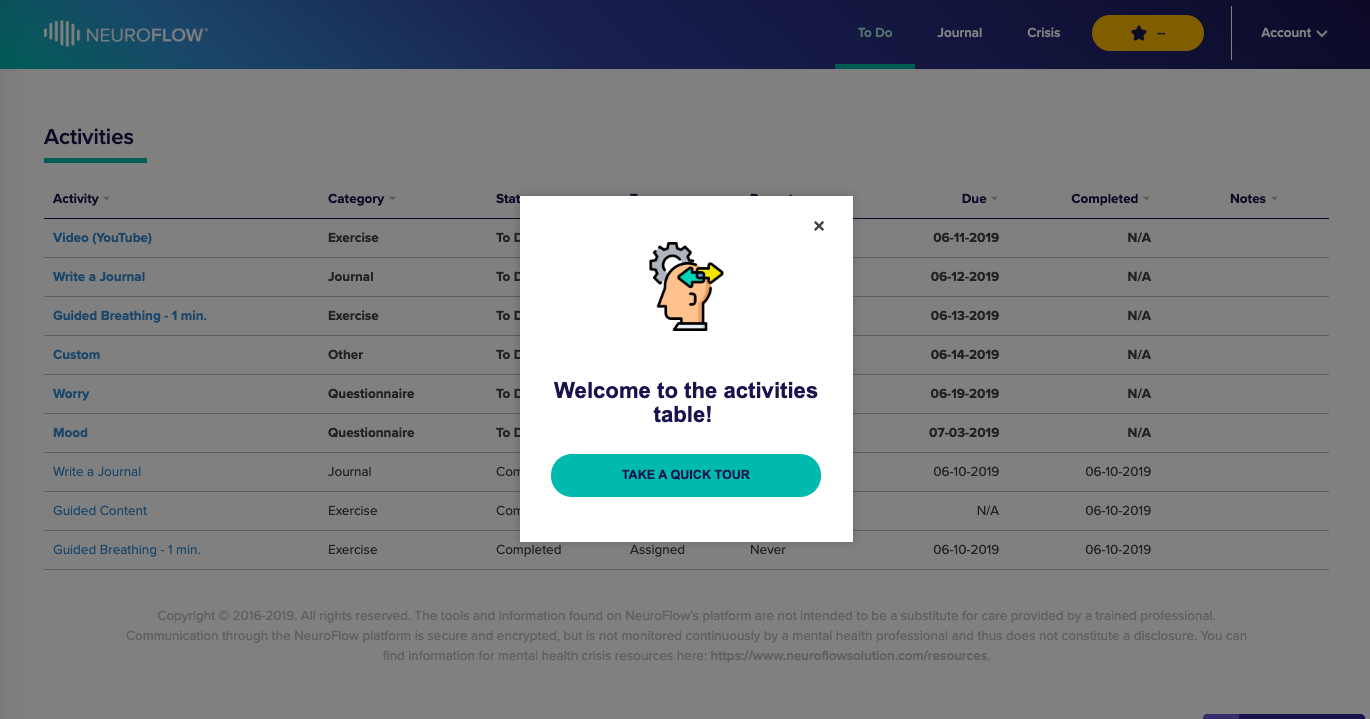
1. Log into your account - if this is your first time on the web version, be sure to go through the tutorial to help you get acquainted
2. Click "To Do" in the main menu
3. Click the exercise you want to complete (the most recently assigned exercise will be at the top of the list), and it will prompt a pop-up that says "Do Now."
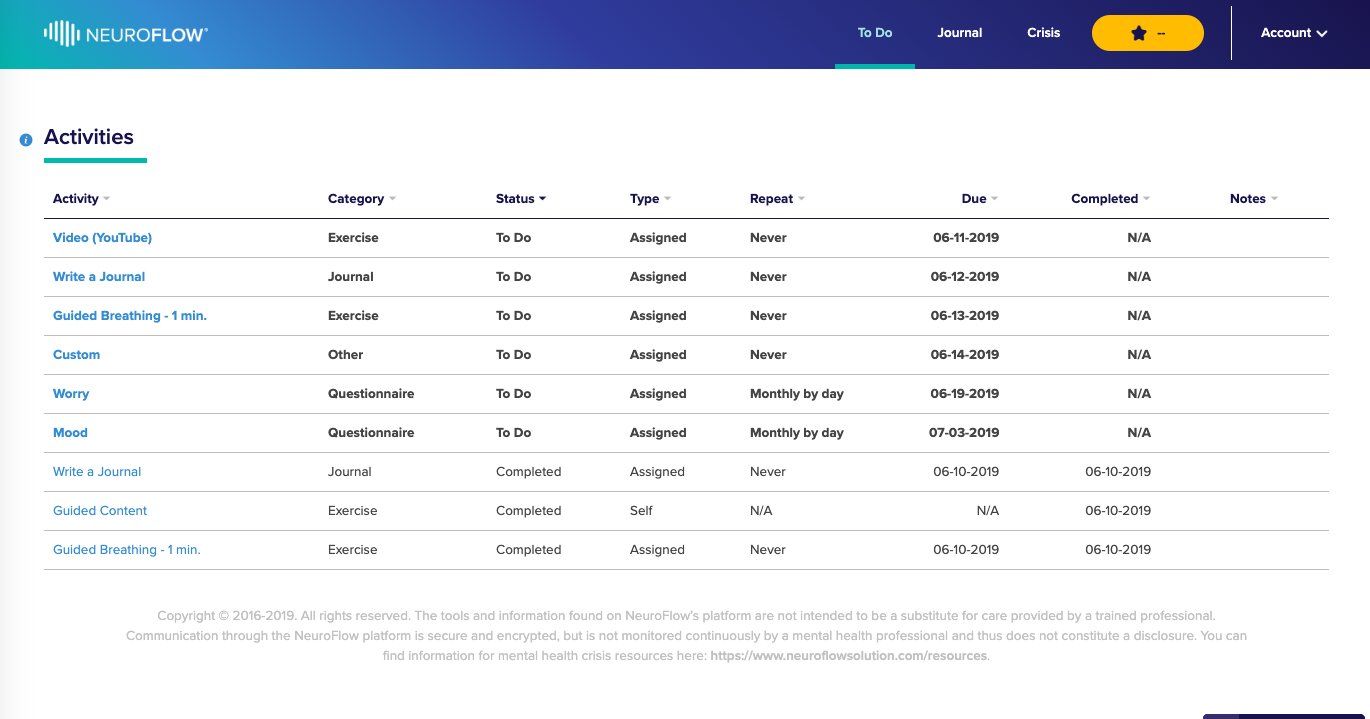
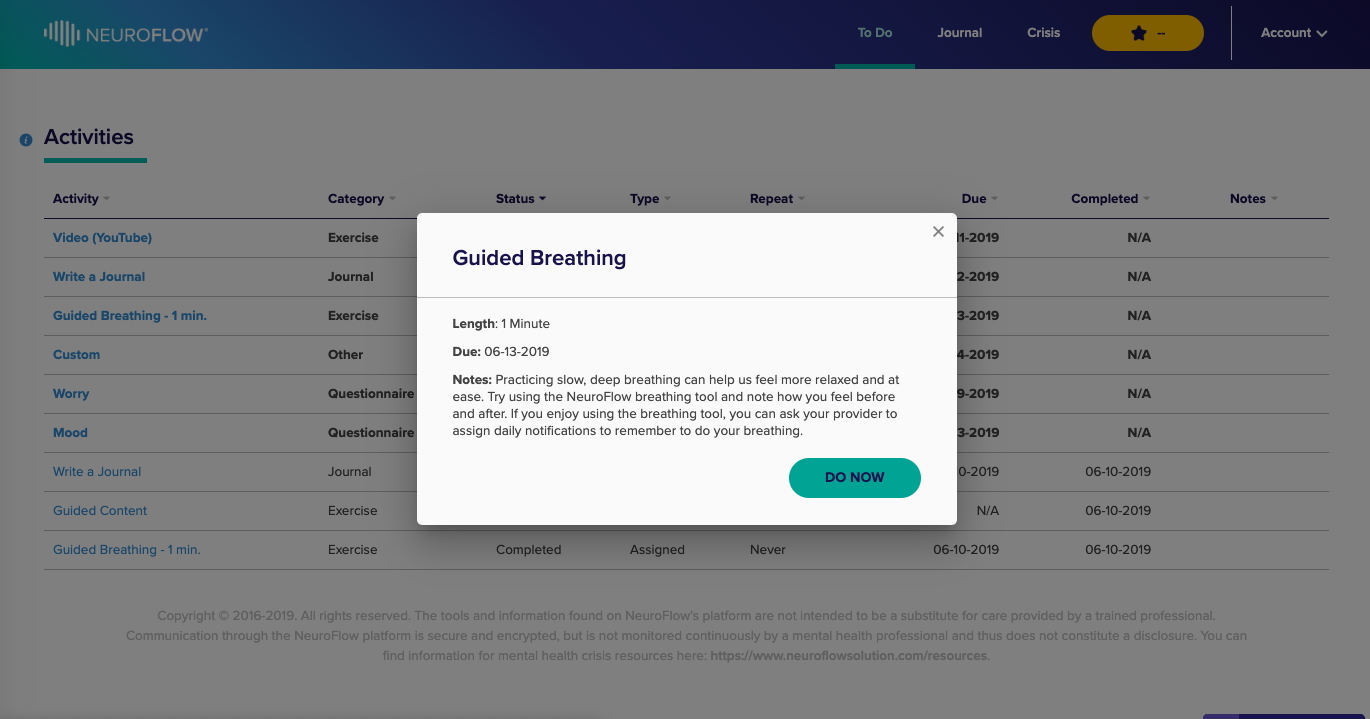
4. Complete and submit your exercise, and the exercise's status will change to "Completed." Good job!
For a full walkthrough of the Activities table, click the tool tip (i) next to the Activities title:
For any questions, please reach out to support@neuroflow.com.
Comments
0 comments
Article is closed for comments.