
Assignment Compliance
When you begin assigning exercises, you'll be able to track an individual's compliance in their Client Dashboard. You can see an individual's compliance with the exercises you've assigned to them in the box to the right labeled "Engagement."
This will show a percentage that represents the ratio of completed exercises (by the individual) to assigned exercises (by you, the NeuroFlow platform user).

30 Day View
The "Past 30 Days" tab gives you a snapshot of an individual's engagement. Clicking on the respective links will give you access to specific data.

Longitudinal Tracking
NeuroFlow allows you to track progress for an individual by providing longitudinal tracking of metrics over time.
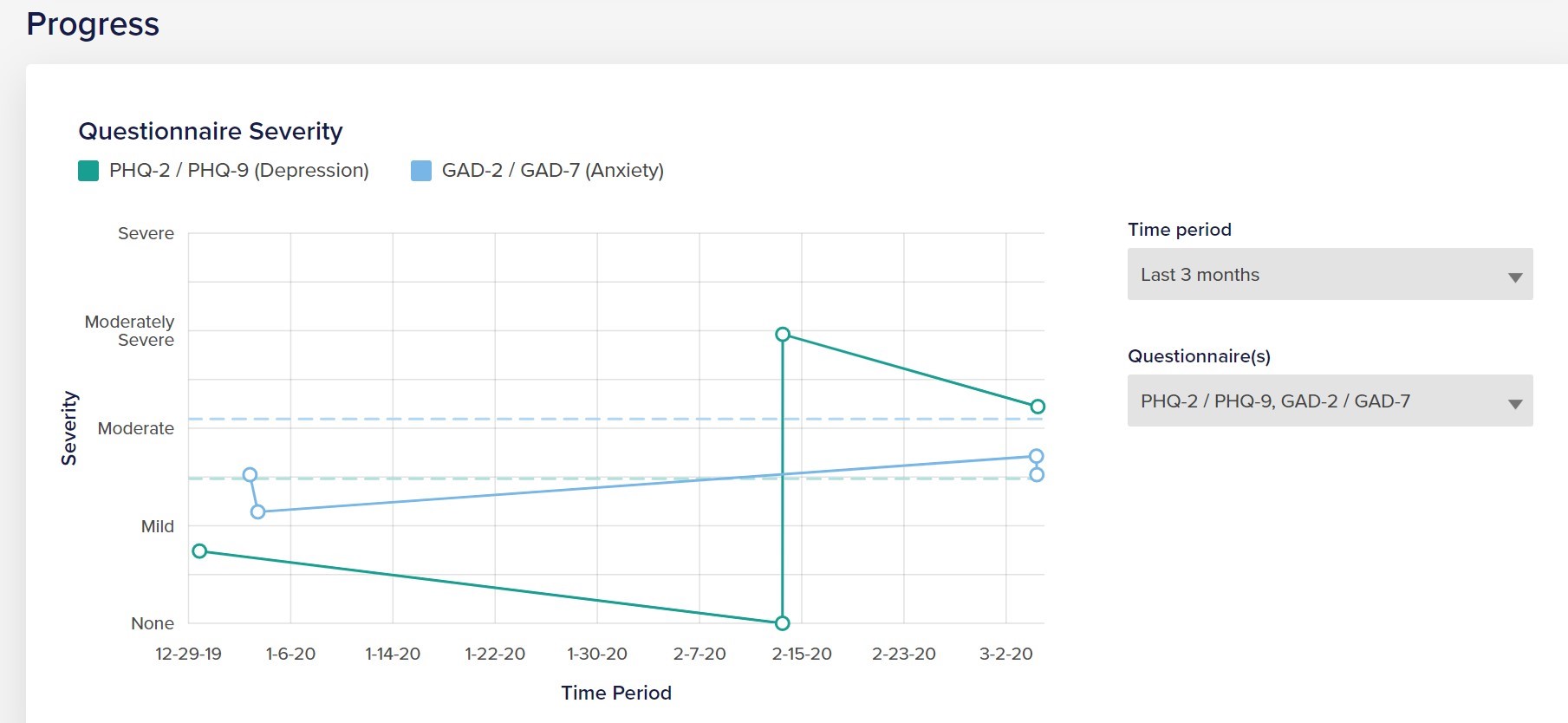
You can track different categories of metrics:
- Questionnaire Severity - depending on which questionnaires you have an individual complete, you will be able to trend severity and scores here.
- Trackers - this describes the self-reported measures that NeuroFlow requests via the app push notifications, including mood, sleep, and pain.
- Steps - NeuroFlow platform users can track an individual's daily steps if individuals allow NeuroFlow to connect to their Apple Health or Google Fit data on their NeuroFlow app.
For any questions or assistance, reach out to support@neuroflow.com.
Comments
0 comments
Article is closed for comments.