
How to Unassign Recurring Activities:
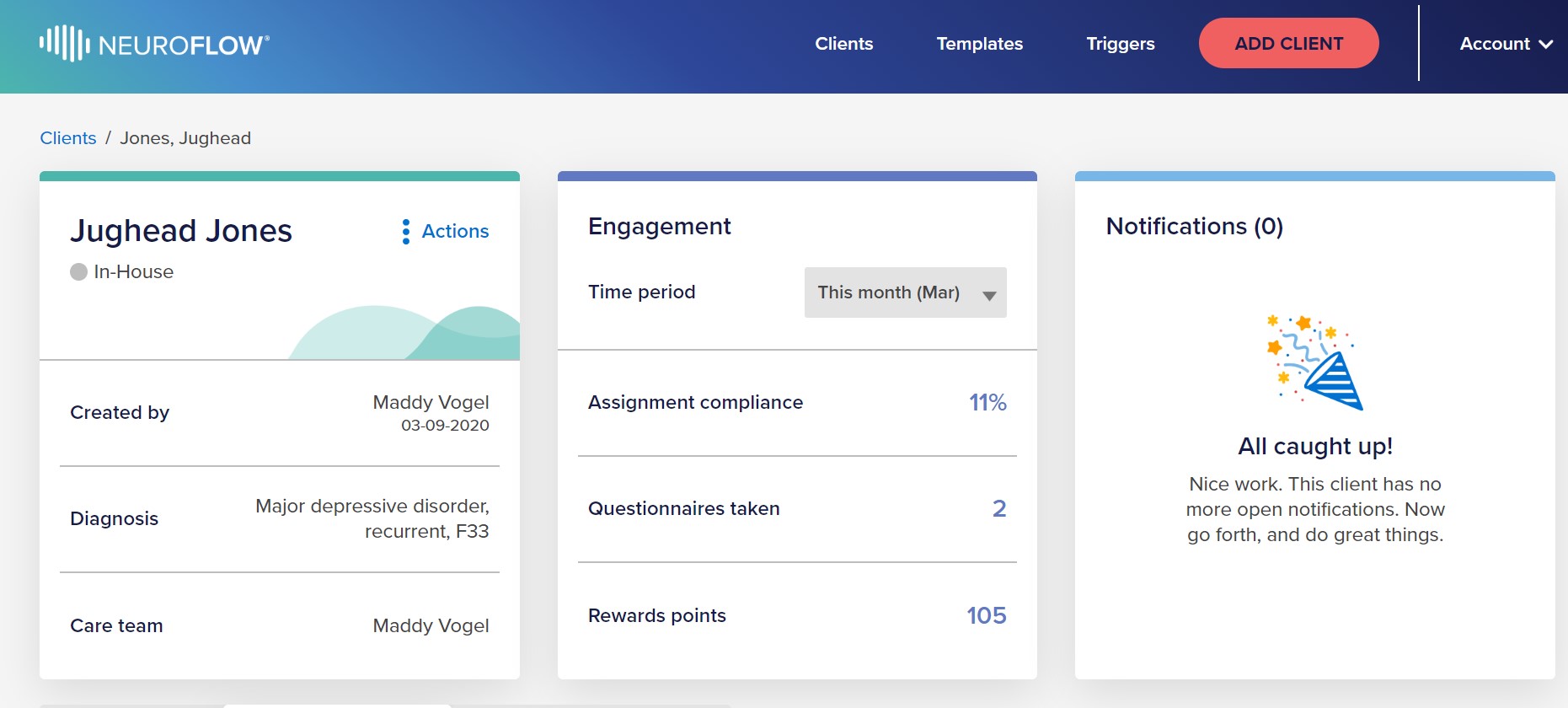
1. Go to the individual's client dashboard (search for the individual's name and click on the Client’s name)

2. Once in the specific clients profile, click on the “Activities” Tab. This will open up the Activities that have been logged for that individual.
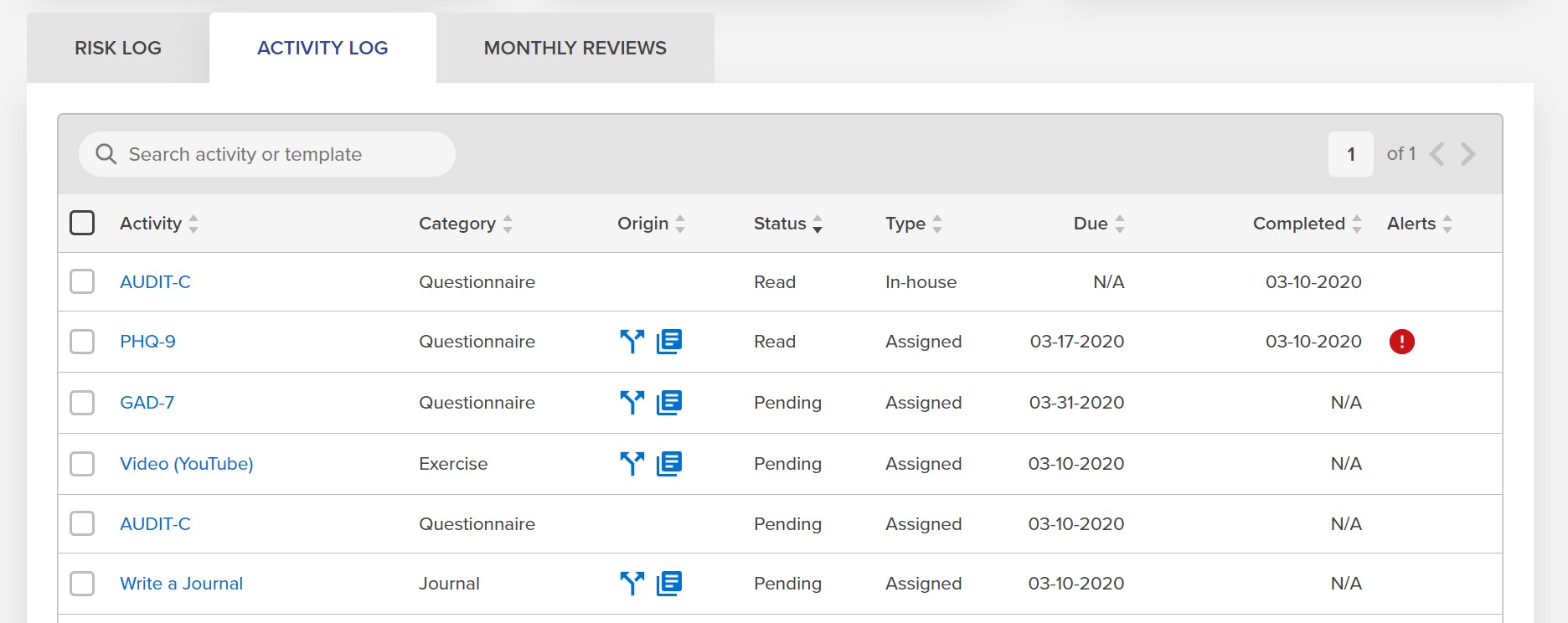
3. Scroll down till you see the table that shows Past 30 Days, Risk Log, Activity Log, and Monthly Reviews.

4. Click on the Activity Log tab and check the box for the chosen Activity you would like to unassign. After checking the box, click into the Activity.
5. An Activity Box for that specific activity will pop-up. Once open, click on the “Edit” button.

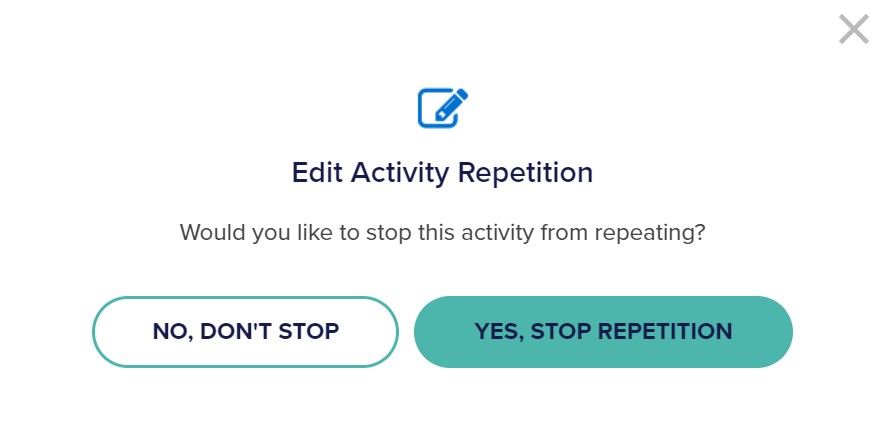
6. An “Edit Activity Repetition" box will open. Click on “YES, STOP REPETITION”.
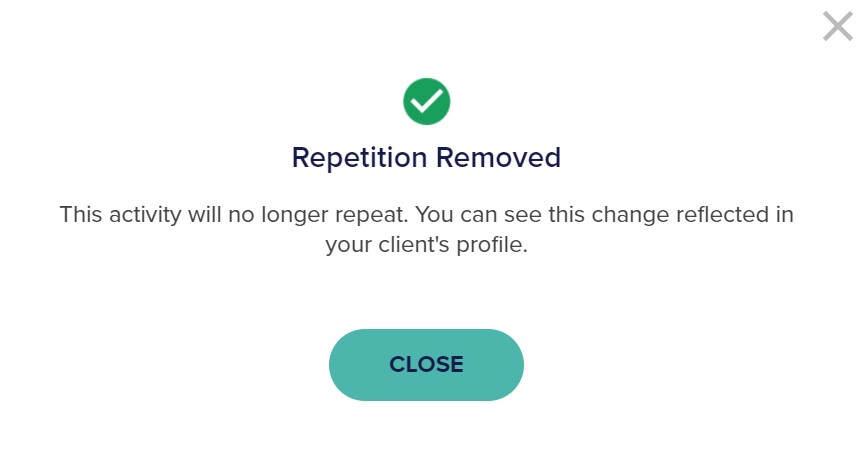
7. A box will appear confirming your edit.
For any questions or assistance, please reach out to support@neuroflow.com.
Comments
0 comments
Article is closed for comments.