
NeuroFlow allows questionnaires to be done both remotely and in-person; you can always complete a questionnaire for/with an individual right through the NeuroFlow platform.
How to Do an In-Person Questionnaire:
- Go to the Care Team Dashboard
- Search for the individual you would like to do an in-person questionnaire on and check the box next to their name
- Once checked, click on "Do Questionnaire"
NOTE: If you don't see "Do Questionnaire", then click on "More" and then click on "Do Questionnaire"

3. Select questionnaire(s):
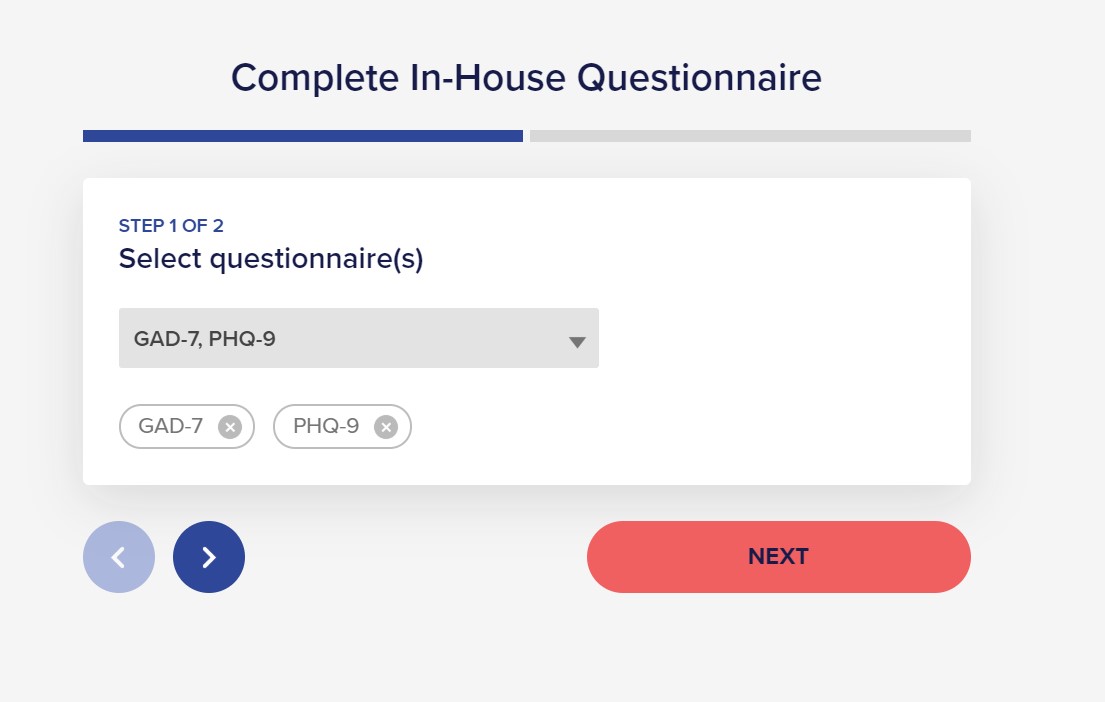
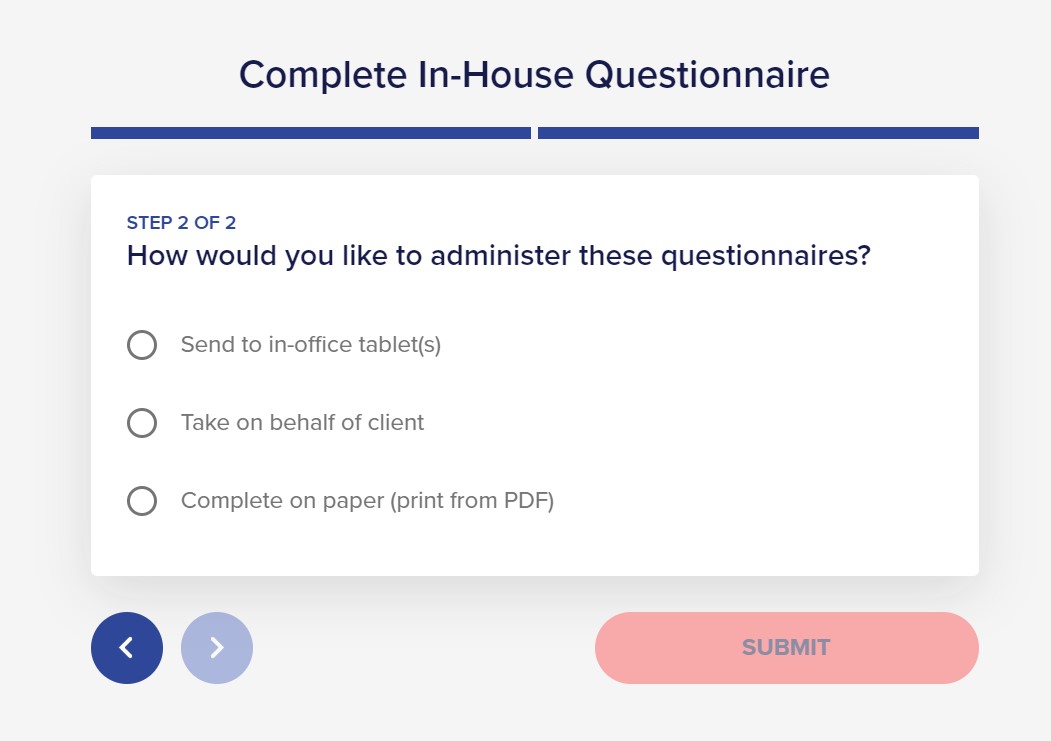
4. Select "Take on behalf of client" and then click on "SUBMIT"
You can do this with any questionnaire. Additionally, Monthly Reviews can be triggered by this process.
For any questions or further assistance, please contact support@neuroflow.com.
Comments
0 comments
Article is closed for comments.