
It is recommended that your practice has a standard operating procedure for checking in on all Urgent and At Risk individuals daily as these notifications let you know when an individual needs attention.
Urgent:

- Urgent - this Urgent notification is triggered by one of the following:
1. A positive response to question 9 of the PHQ-9: "Thoughts that you would be better off dead or of hurting yourself in some way"
2. NeuroFlow's Risk Algorithm detects risky language in a journal entry
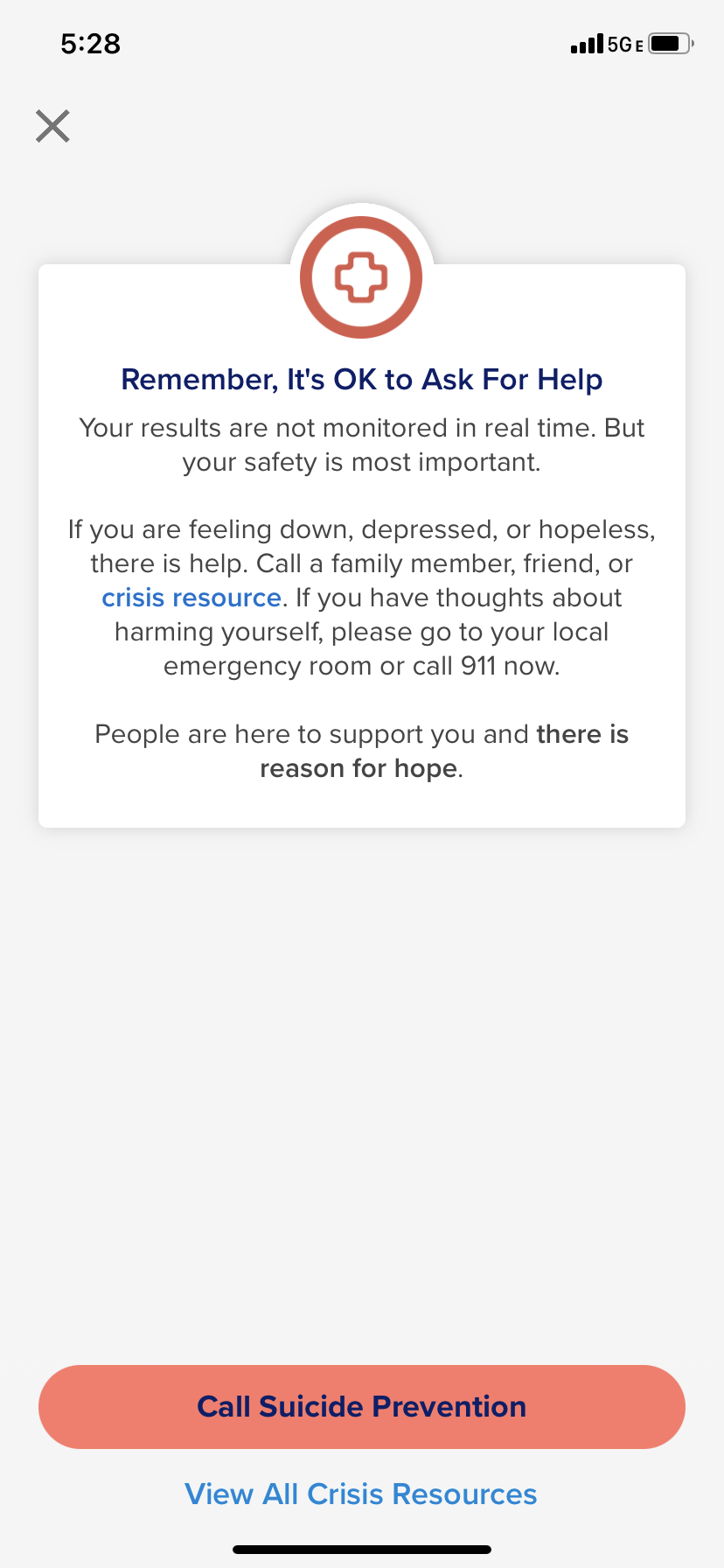
- Reminder: if an individual triggers an Urgent notification then they are:
- Referred to emergency resources in this instance
- Reminded that this is not a real-time communication tool
- Reminder: if an individual triggers an Urgent notification then they are:
At Risk:
At Risk notifications are designed to be important tools for identifying and guiding risk stratification in the NeuroFlow platform. These alerts flag individuals who may require additional support or treatment based on behaviors they are exhibiting in the NeuroFlow app.
Updates have been made to the way At Risk notifications are triggered to make them more accurate and personalized to the individual’s past behavior. This will reduce “alert fatigue” by helping you focus primarily on those individuals requiring additional attention.
- At Risk - this At Risk notification can be triggered by one of the following:
- In the first 30 days after first calculated Severity Score: High Severity Score in comparison to the rest of the NeuroFlow population

- After the initial 30 day period + 3 questionnaires completed: Negative change in an individual’s risk based on an established personal Severity Score baseline
• The 3 questionnaires do not all have to be the same. They can be any questionnaire that factors into a Severity Score (PHQ, GAD, and Edinburgh).

- Indications of possible self-harm flagged through journal Natural Language Processing
- In the first 30 days after first calculated Severity Score: High Severity Score in comparison to the rest of the NeuroFlow population
For more information on filtering for and review these alerts, please visit the Filter for Urgent Alerts support page. We also recommend taking a look at our Provider Resources to help you determine the proper course of action and available resources for those under your care.
For any questions or assistance, please reach out to your Customer Success Manager or support@neuroflow.com.
Comments
0 comments
Article is closed for comments.