
You can edit an individual's information at any time on the Care Team Dashboard or the Client Dashboard.
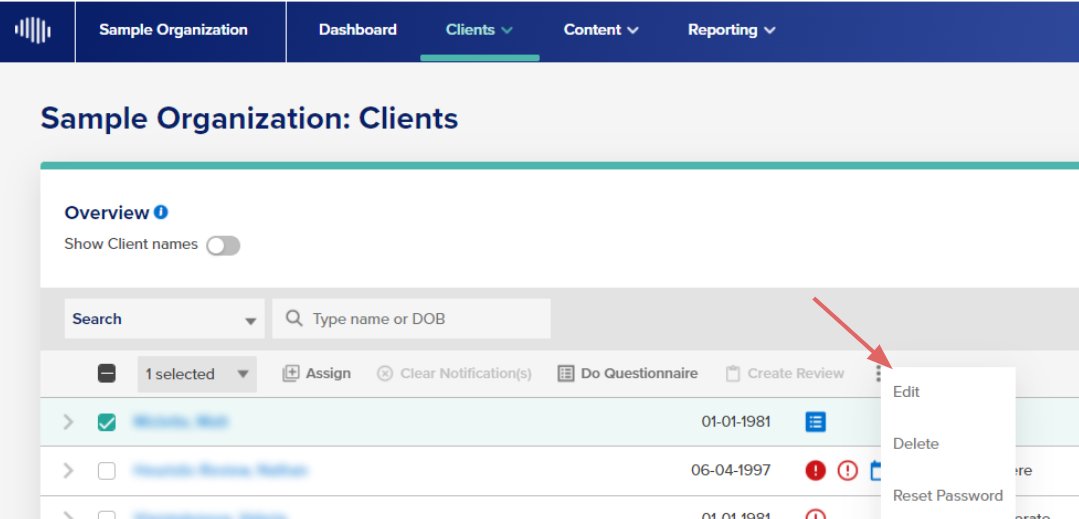
On the Care Team Dashboard
1. Click the checkbox next to the client.
2. On the menu bar below the search field, click "Edit" and a slide-out will appear.
NOTE: For some NeuroFlow platform users, "Edit" will appear under "More".
On the Clients Dashboard
1. Click into the individual's profile.
2. Click the "Actions" icon directly to the right of the individual's name and then "Edit".


3. A form will appear on the right that looks similar to the Add New Client form. You can edit the individual's info here.

Please reach out to support@neuroflow.com for any questions.
Comments
0 comments
Article is closed for comments.