
Guided breathing is a standard technique for relaxing your body and controlling your nervous system. NeuroFlow's breathing guide is an excellent metronome for regulating your breathing and allows you to change the pace to match your preference.
On your mobile app:
If you've been assigned guided breathing, it will show up in your To Do list. If you're doing guided breathing on your own, go to the Activities tab on the bottom bar and click "Guided Breathing," then follow the steps listed below:
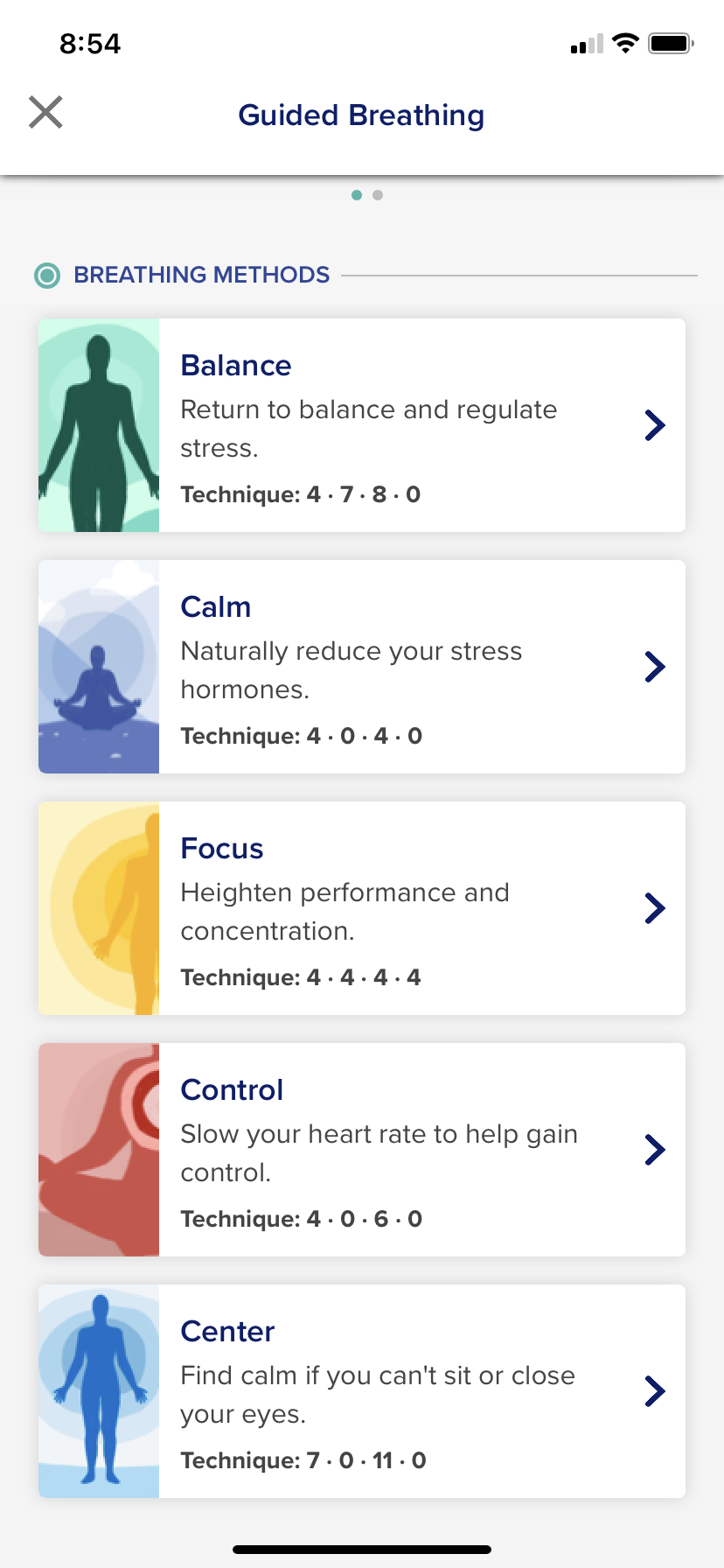
1. Click "Check It Out" then select a breathing method to start the guided breathing exercise
2. Click "Start"
3. Follow the guided breathing animation for when to inhale, hold, and exhale. Pay attention to the timer at the bottom right for how long you should be breathing!
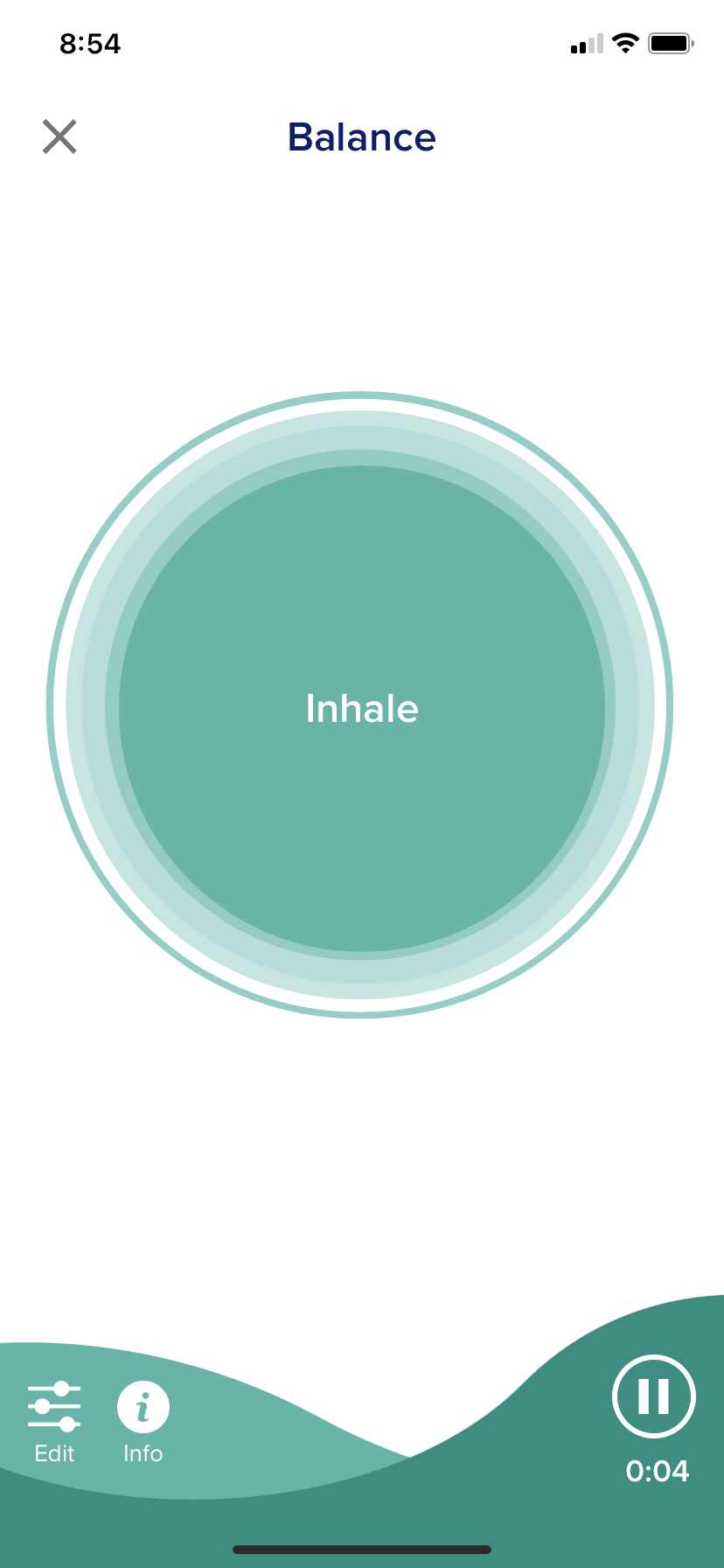
4. Click the "X" on the top left to exit it out of the activity
Change the guided breathing settings:
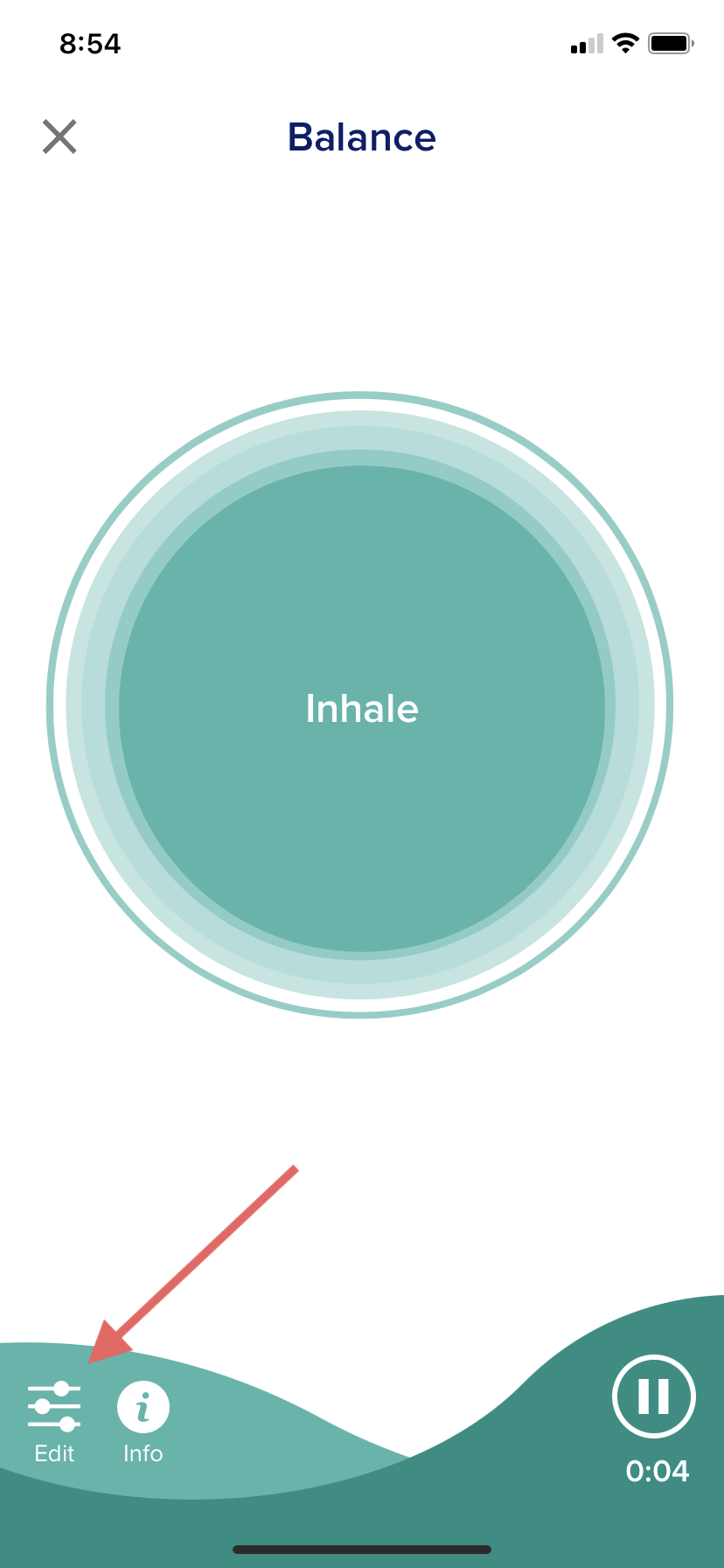
- You can change the pace by clicking "Edit controls" at the bottom left of the screen
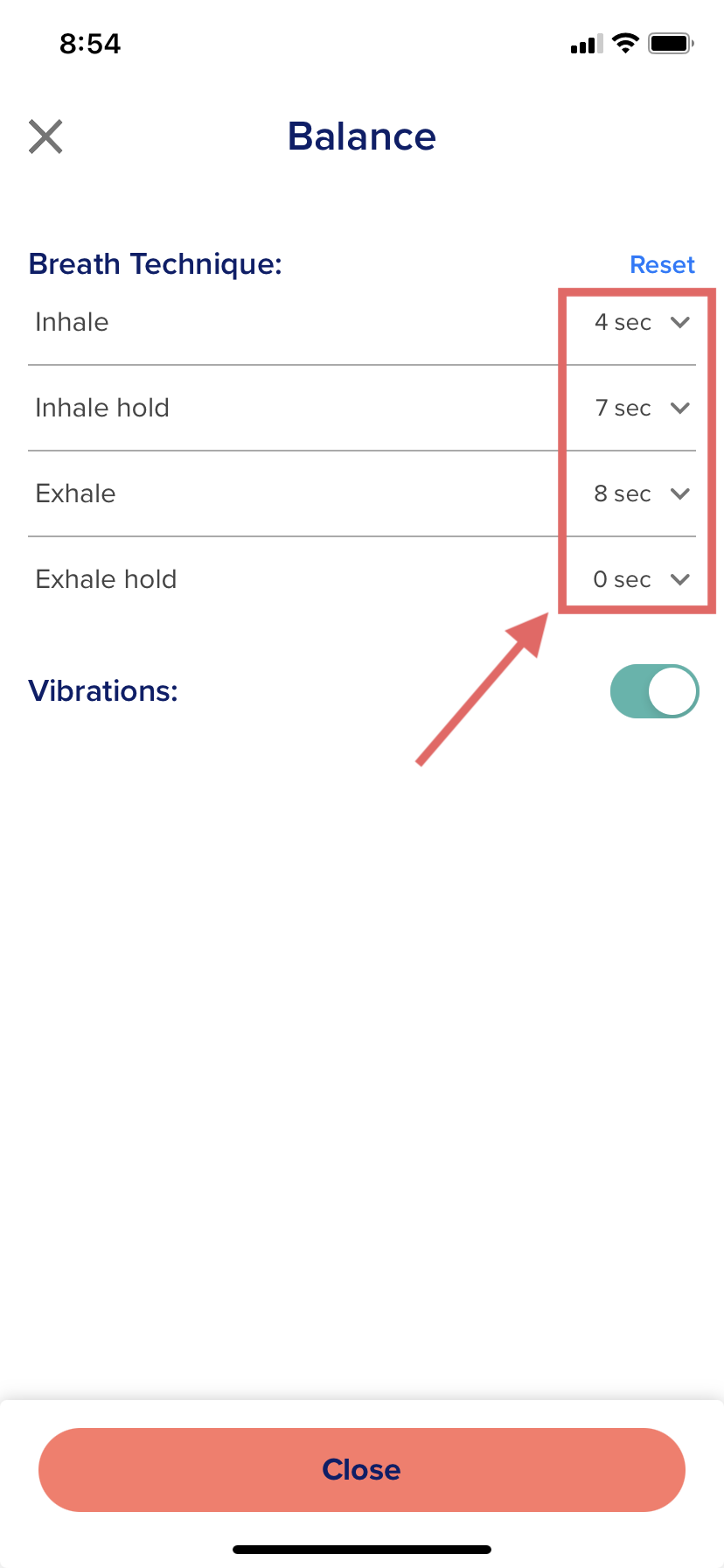
- In the control panel, click on the down arrow to change the inhale or exhale length. After adjusting the time, click "Done" in the top right of the box.
- Click "Close" when you are done adjusting the settings.
On the web-version (neuroflowlive.com):
If you've been assigned guided breathing, it'll show up in your Activities page in your main menu:
- Click the guided breathing you want to complete and click "DO NOW"
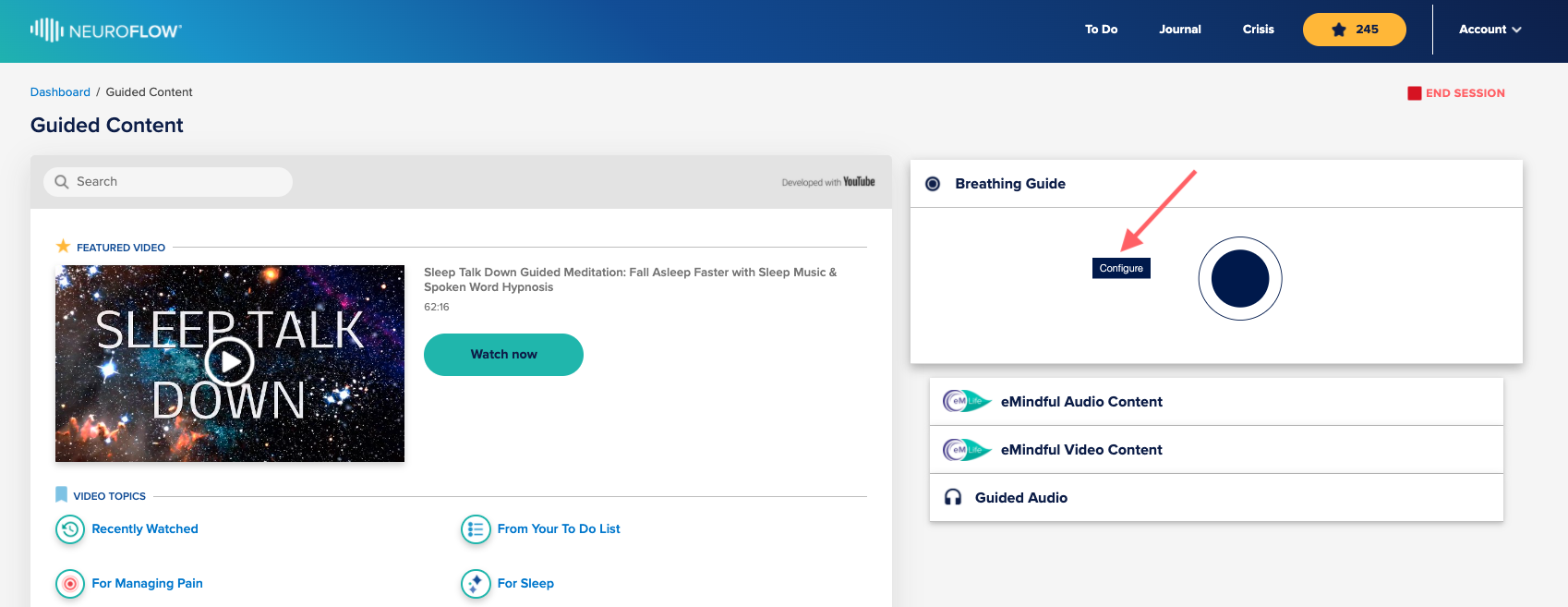
- This will take you to the "Guided Content" page, where you'll have access to several types of content
- The Breathing Guide is at the top right, and you can configure it to a different pattern by clicking "Configure"
For any questions or assistance, please contact support@neuroflow.com.
Comments
0 comments
Article is closed for comments.