
The Reading List feature houses PDF documents assigned to you by your provider as a part of your treatment.
On Your Mobile App
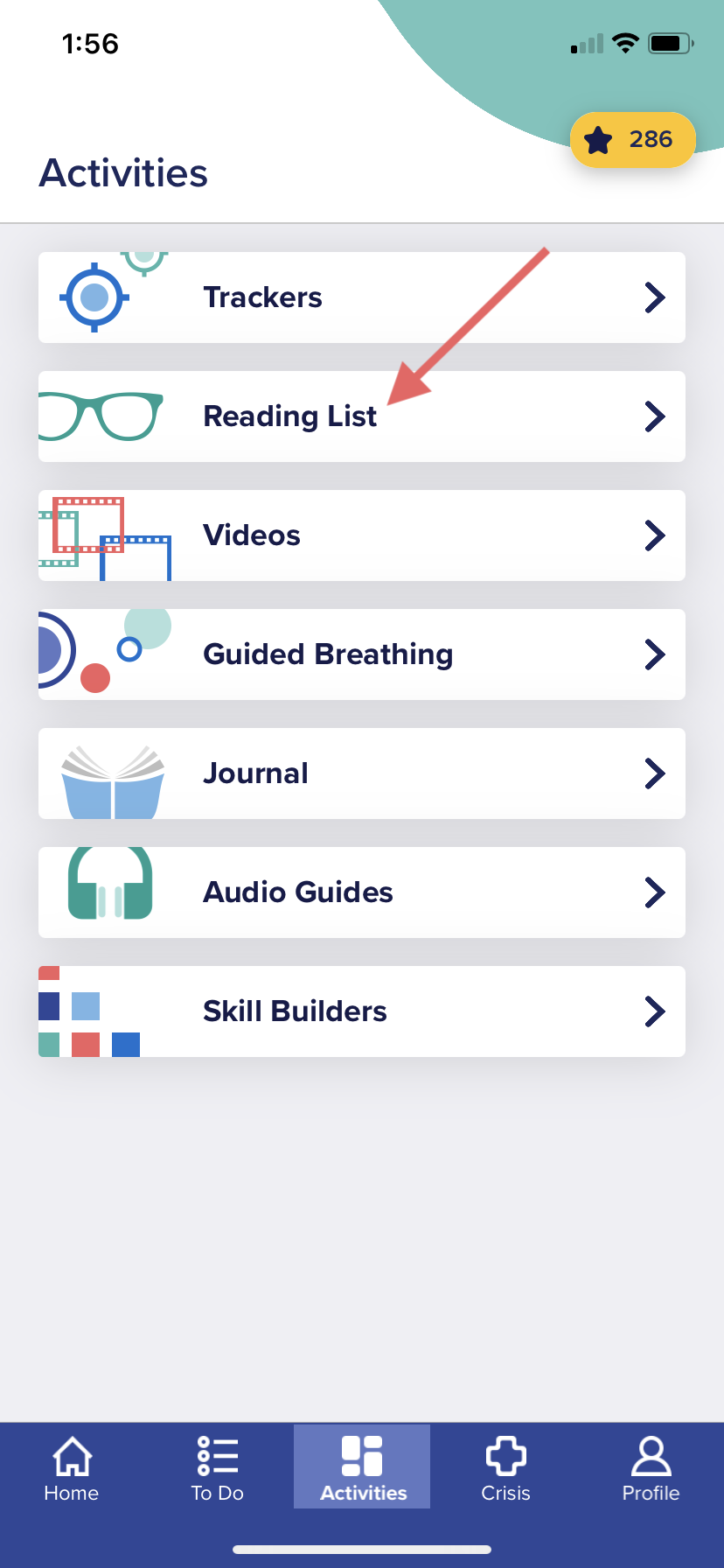
To access the Reading List on your mobile app:
1. Go to the bottom of the app and click "Activities"
2. Click on the "Reading List" tile
NOTE: If your provider has assigned you documents to review they will appear here. These documents will appear as activities on your "To Do" list if they are assigned.
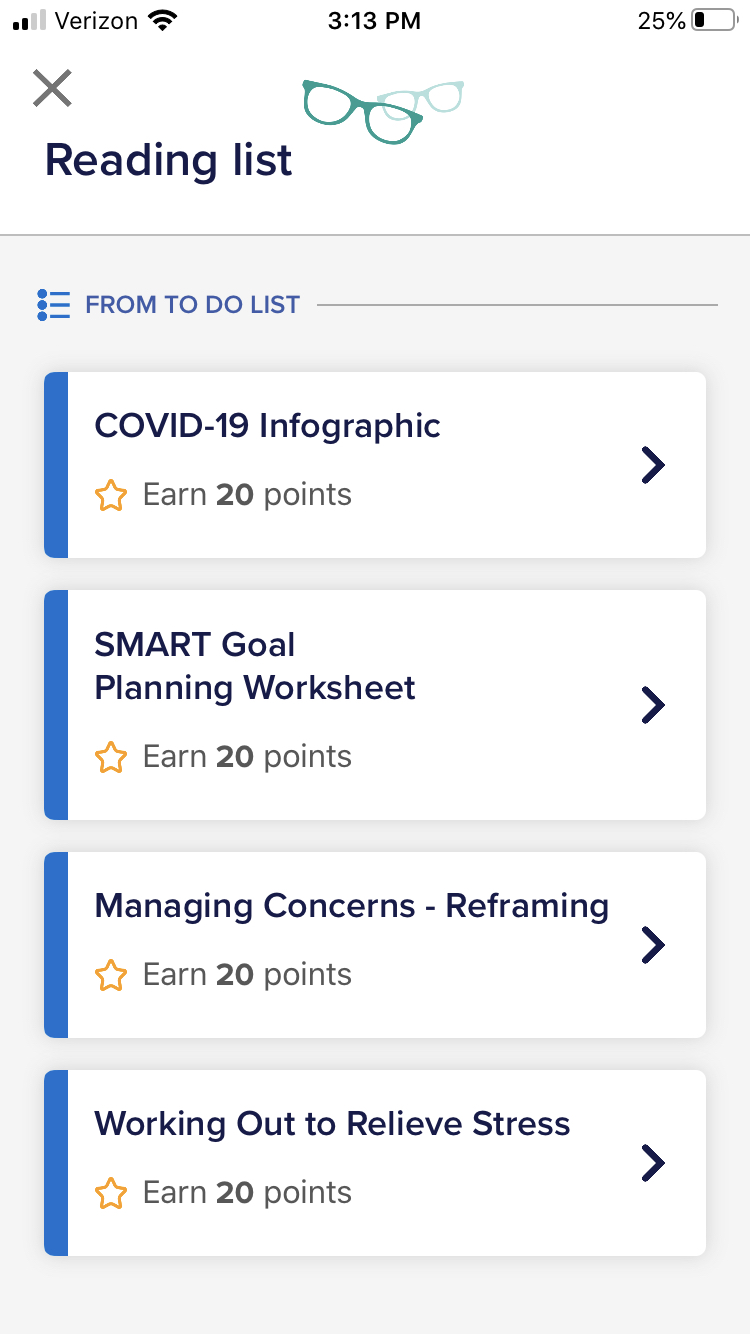
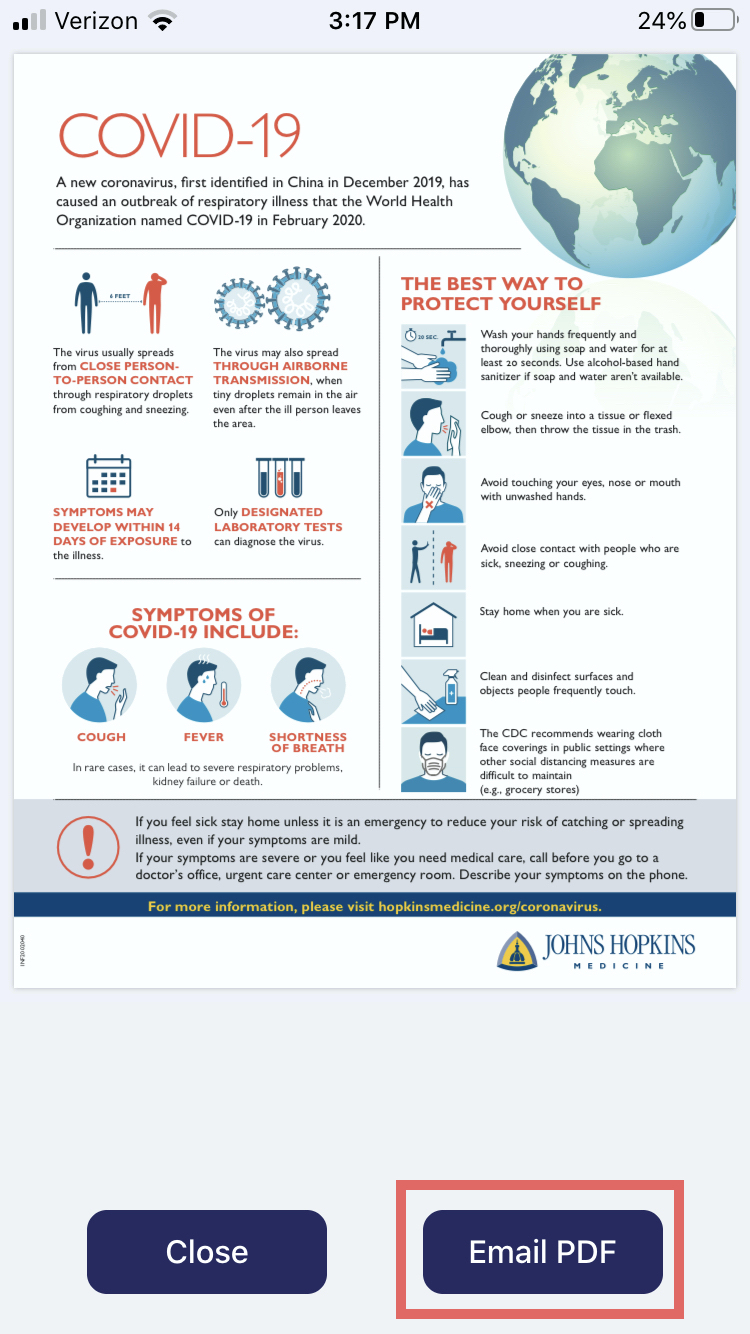
3. Click on a tile to access the resource. You have the option of emailing the PDF to yourself as long as an email is set up on your smartphone.
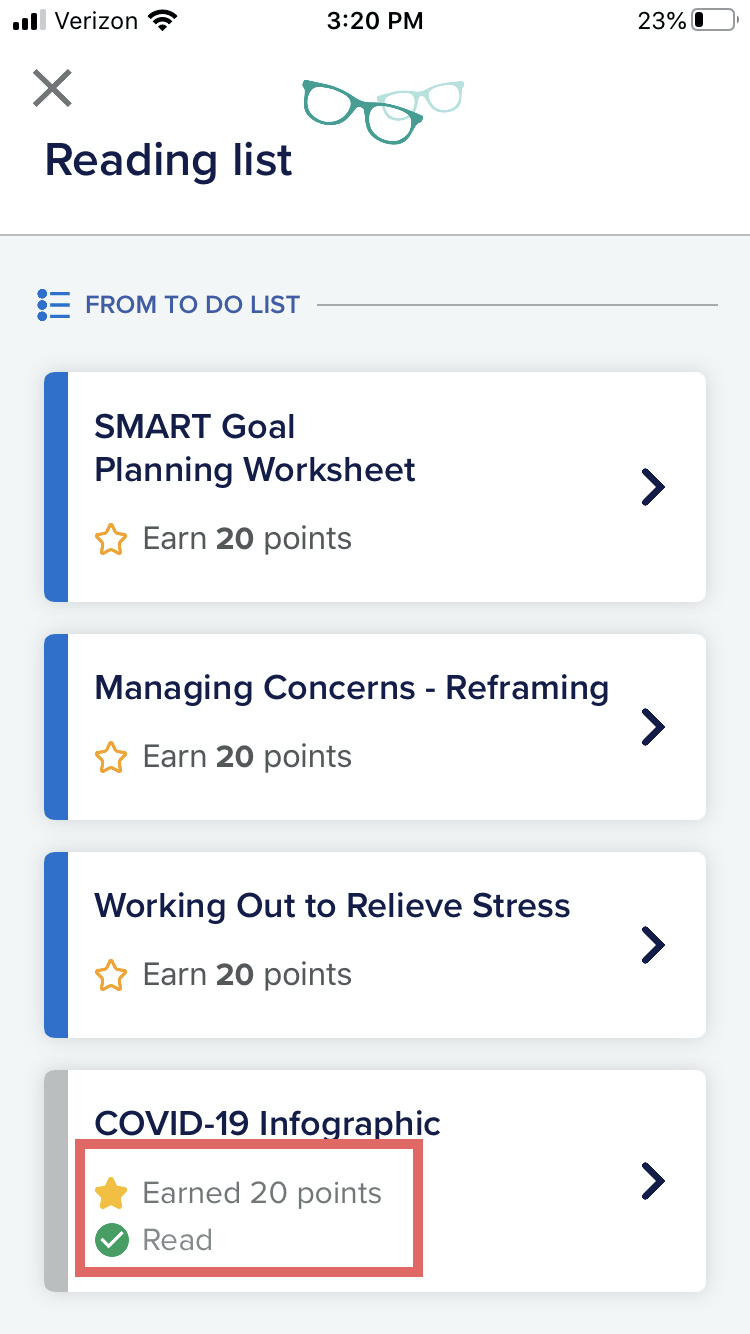
4. Once you've viewed a document in the Reading List, it will be appear grayed out to indicate you have read it, but will still be available to you as a resource. You also earn Reward Points for viewing a resource!
For further assistance contact support at support@neuroflow.com.
Comments
0 comments
Article is closed for comments.