
Tracking your mood, sleep, stress, and pain over time is a great way to see how you have been doing and know you are on the right path for your given goals!
How to See Your Activity Over Time:
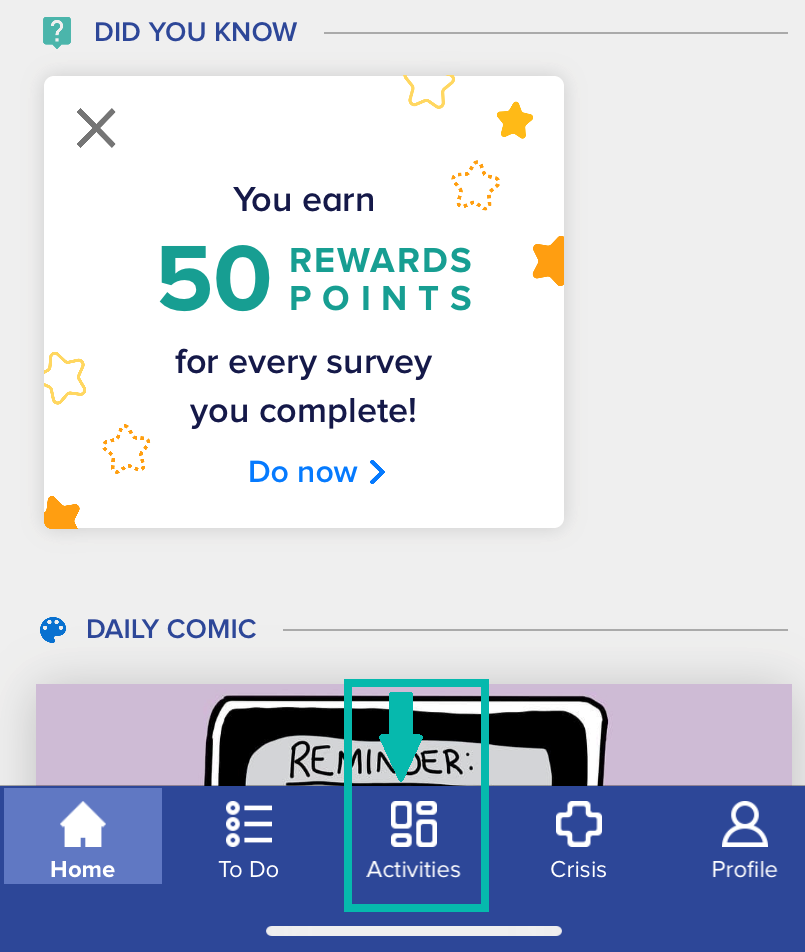
1. Access your Trackers by going to the "Activities" tab at the bottom of your screen on your app.
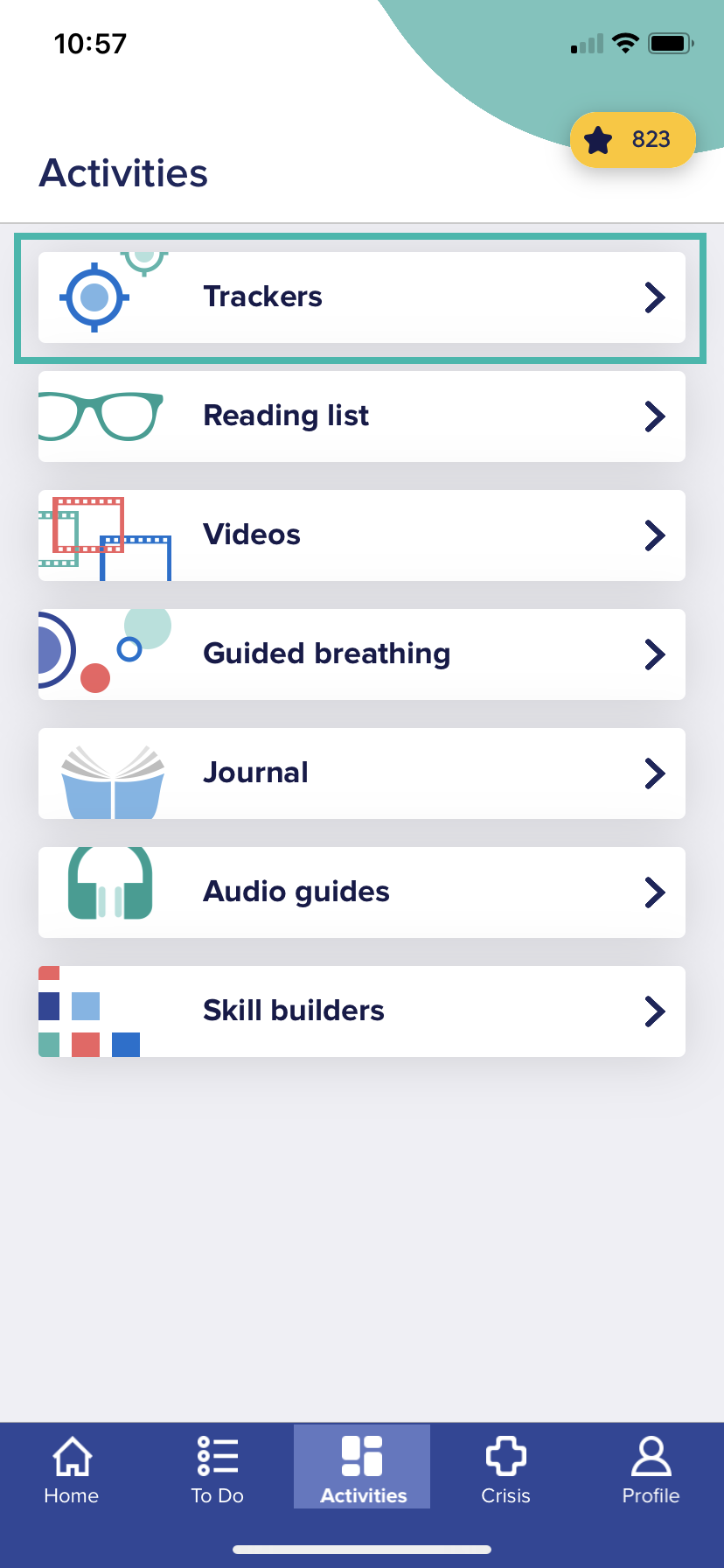
2. Next, click on "Trackers" to access your trackers-related data
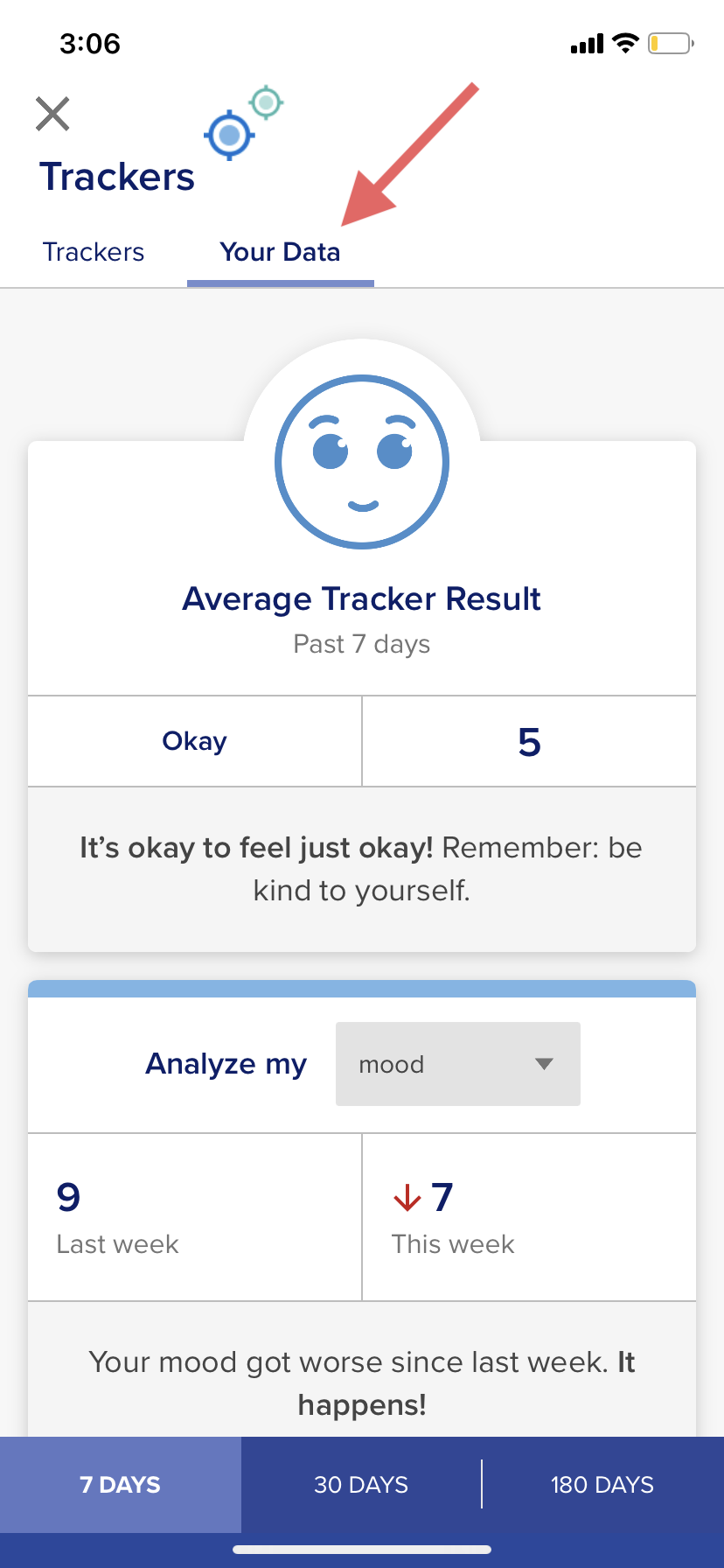
3. Click on the "Your Data" tab. The next screen will show your progress over time since you started tracking your mood, sleep, stress, and/or pain.
For any questions, please contact support@neuroflow.com.
Comments
0 comments
Article is closed for comments.