
You can change how often and when NeuroFlow reminds you to keep track of different activities in your To Do list, including mood and sleep, journals, and more by heading to Settings in your NeuroFlow app.
How to Adjust or Turn On Push Notifications:
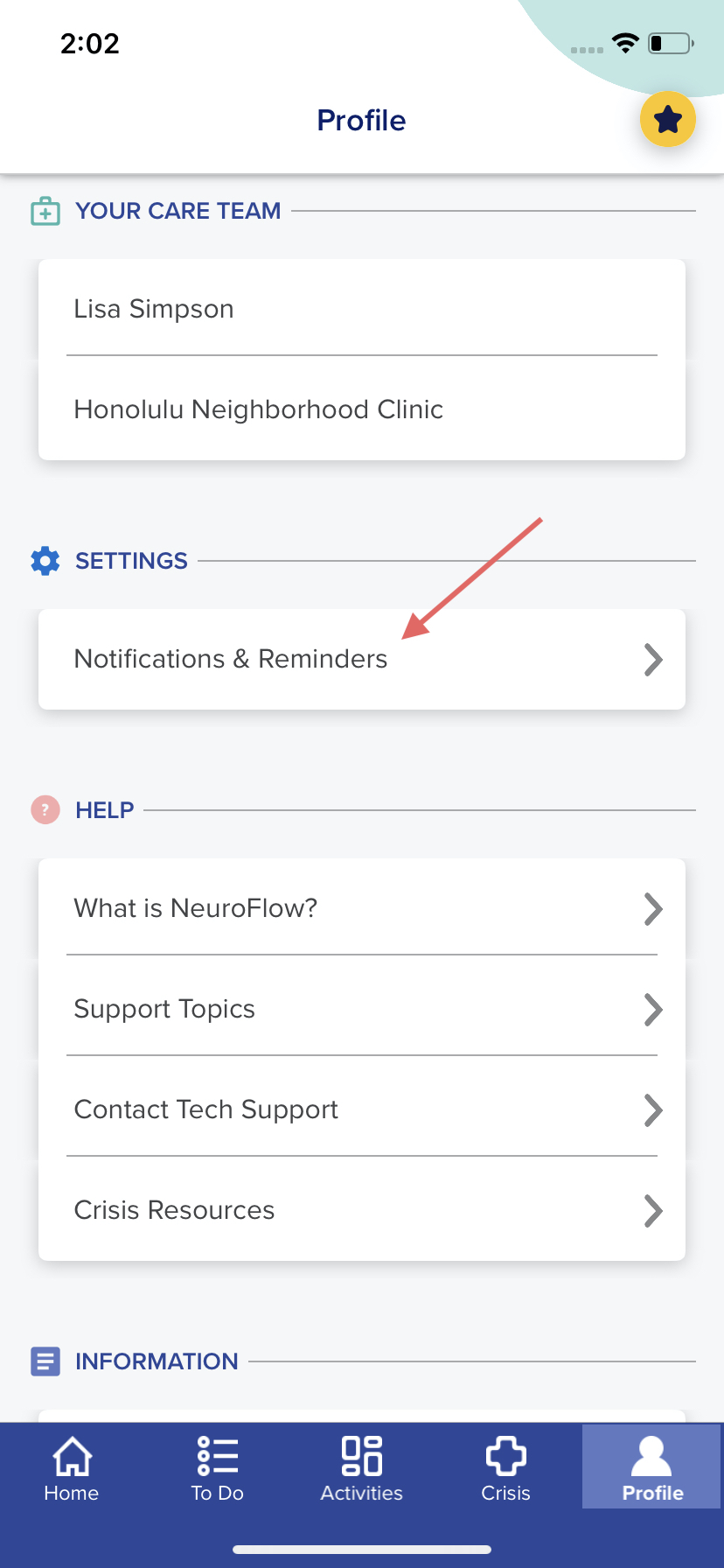
1. Click on the "Profile" tab on the bottom right of your app
2. Scroll down and under "SETTINGS," click "Notifications & Reminders"
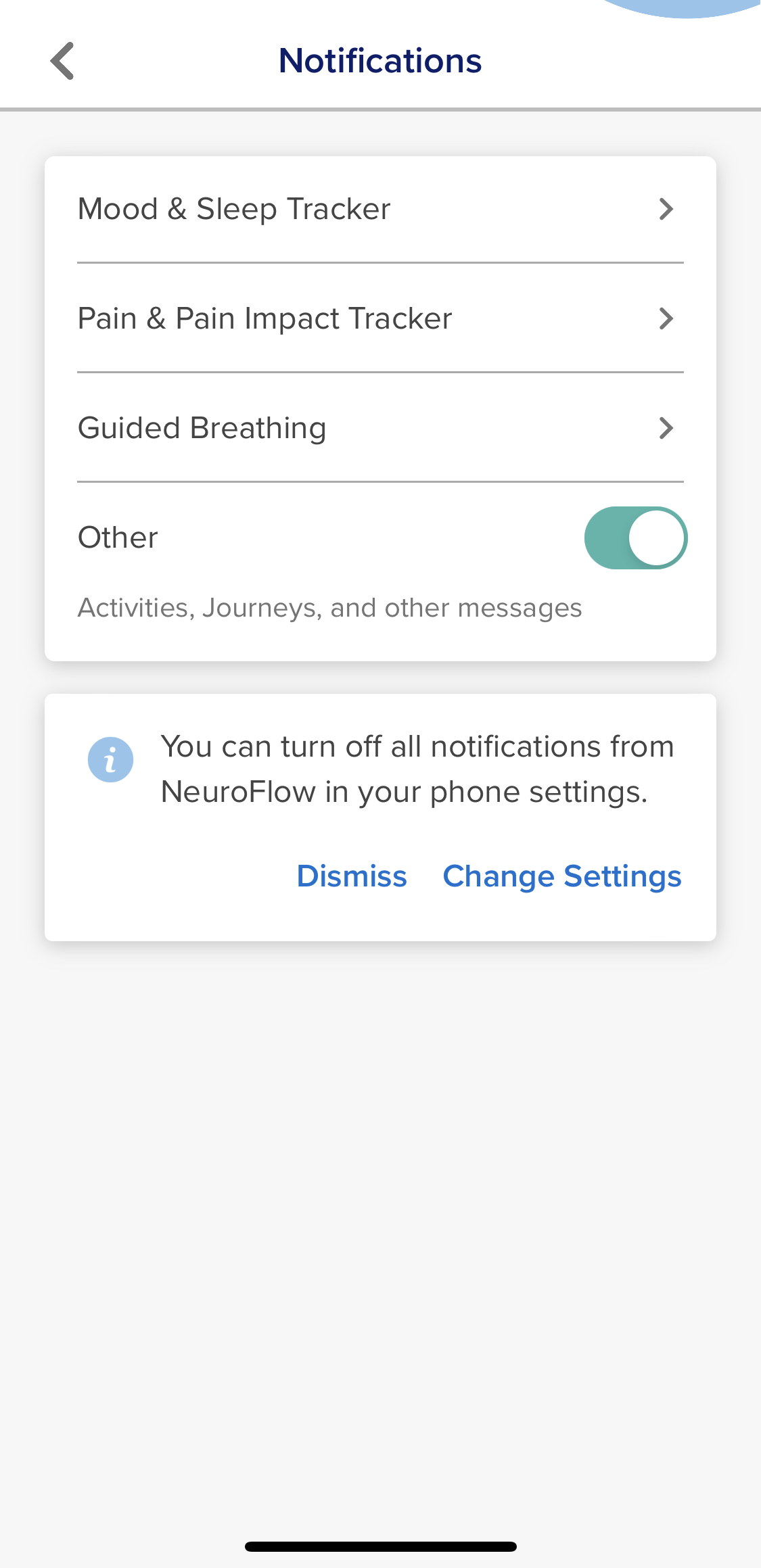
3. Select an activity and click the "Notifications" toggle to the right to turn notifications on (to turn notifications off, keep the toggle to the left - it should be greyed out)
NOTE: If notifications are disabled, go to your Phone Settings > Notifications > NeuroFlow > click the toggle to the right for "Allow Notifications"
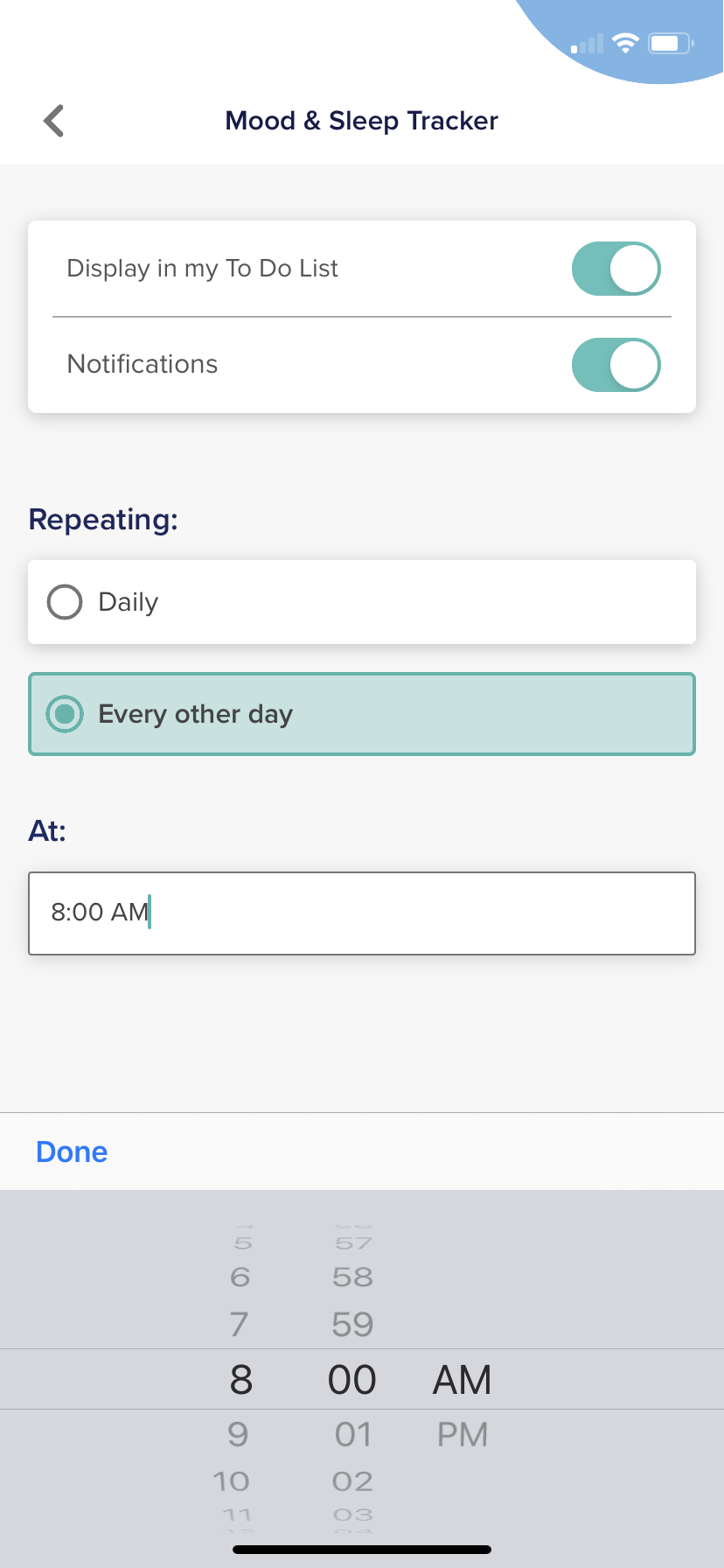
- You can:
- Change the time that you receive these reminders
- Change how often you want to receive reminders (example: daily or every other day)
- Turn off push notifications by clicking off Notifications while keeping trackers and/or Guided Breathing in your To Do List
- Turn off all notifications
For any questions, please reach out to support@neuroflow.com.
Comments
0 comments
Article is closed for comments.